18 Multiple Sequence Alignment
Instructions
Today we’ll be using the tools we’ve been learning about to search for some homologous sequences and then to align them using Clustal.
Pick a gene that you are interested in analyzing. I’ll be using the CCR5 gene we learned about last week in this example.
Search for homologs of the gene in at least 5 different species and collect the sequences in a FASTA file. I found sequences for
- Human
- Rhesus monkey
- Sheep
- Chicken
- Goat
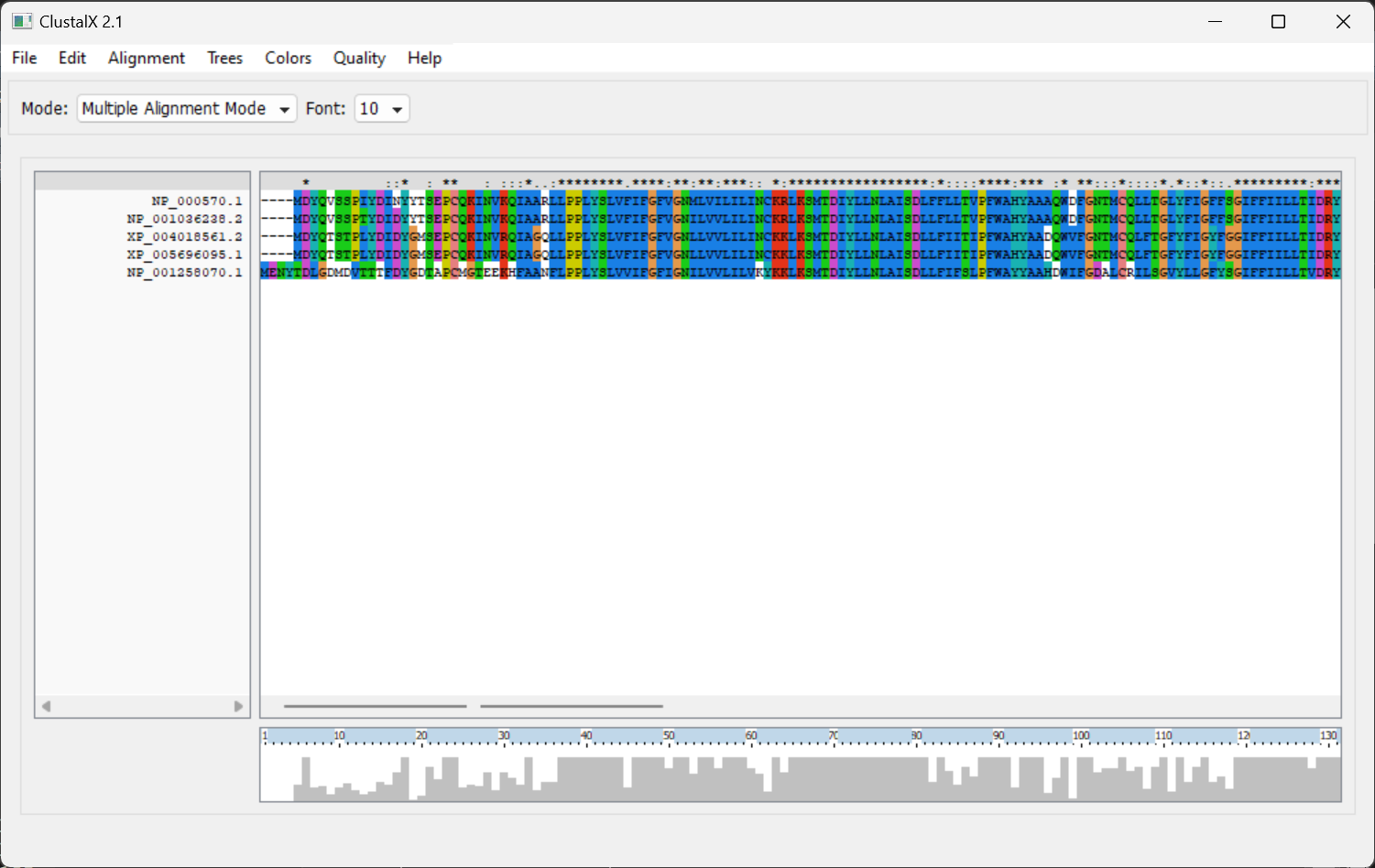
- Align the sequences using Clustal.
When you copy the fasta sequences, they will be labeled with the accession ID. Changing those labels to something like the species will make the output easier to read.
View the alignment using Clustal Omega
Submit an image of the aligned sequences on Blackboard
Anaconda
Some of you had trouble installing ClustalW on your computers using the instructions in the book. Here is an alternate way of installing it for running alignments on your local machine.
Mac / Linux
Install Anaconda
- I typically use the full version, but use the miniconda option if you are short on space (e.g. if you are running in the cloud and want to minimize your footprint).
Open a terminal window
Add the Bioconda channel with
conda config --add channels bioconda
conda config --add channels conda-forge
conda config --set channel_priority strict- Install bioconda with the following command:
conda install -c bioconda clustalw
Windows
Install WSL
- Open a PowerShell and run
wsl --install -d Ubuntu
- Open a PowerShell and run
Open a WSL terminal window.
Install miniconda with
wget https://repo.anaconda.com/miniconda/Miniconda3-latest-Linux-x86_64.sh
bash Miniconda3-latest-Linux-x86_64.sh- Close your terminal window and open a new WSL terminal.
- Add the Bioconda channel with
conda config --add channels bioconda
conda config --add channels conda-forge
conda config --set channel_priority strict- Install
bioconda::clustalwwithconda install -c bioconda clustalw
Try it out
Now that you have clustalw installed, try aligning your fasta file with (my fasta file is titled ccr5.fasta):
clustalw -infile=ccr5.fasta -alignThe .aln file is a simple text file, but it looks better if you use a viewer like CustalX or one of the many online viewers.